


CRM
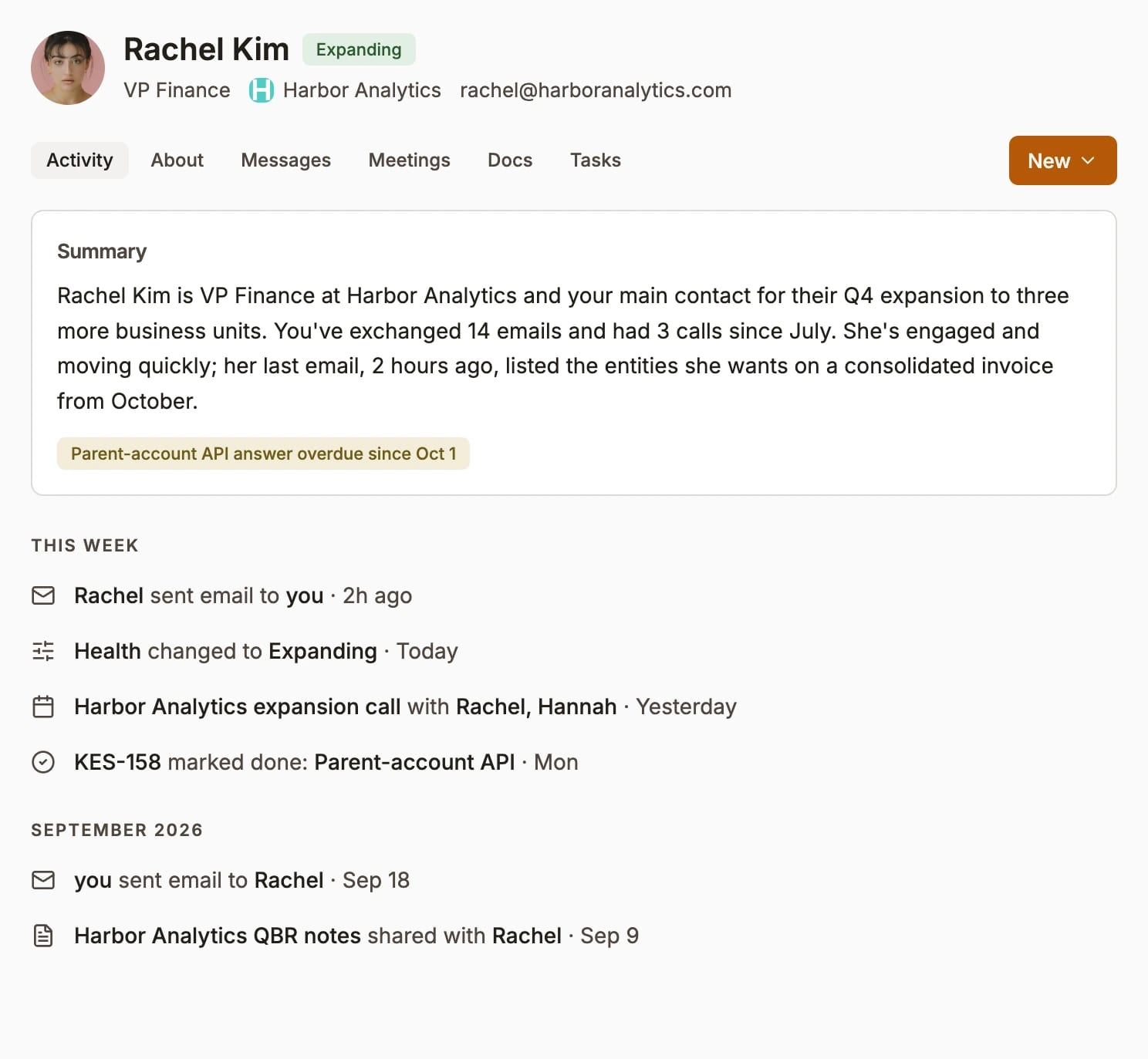
Contacts and companies that update themselves after every email and meeting. Relationship health, a complete history of every interaction, and custom fields of your own.
- Auto-updated records
- Relationship health
- Complete history
- Corrections stick
Your messages, documents, tasks and the tools you already use, in one place — with agents alongside your team, doing the work on a schedule and bringing you what needs a decision.

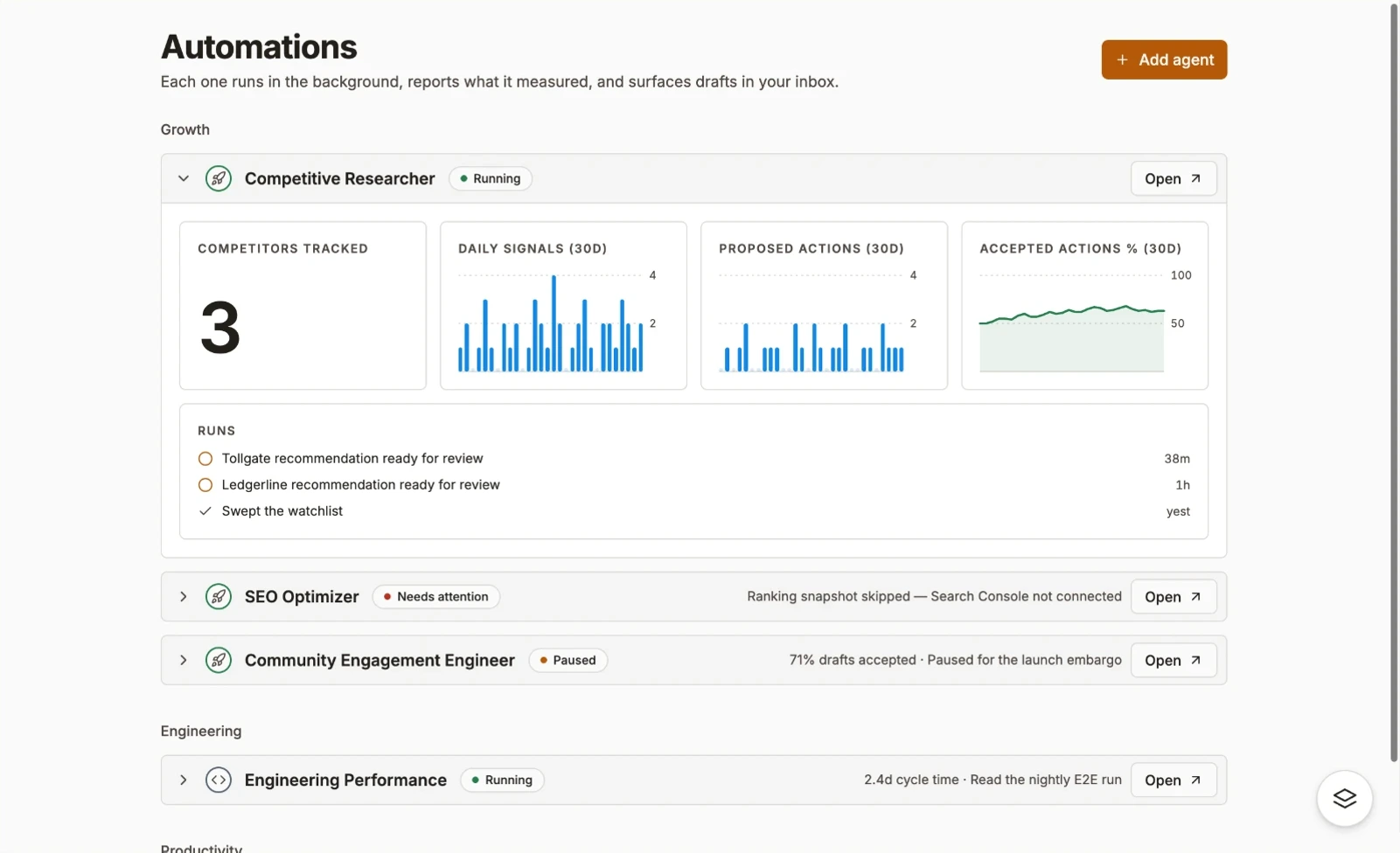
Choose from real automations that take the busywork off your team, or add capability it never had.
Growth
SEO Optimizer
Watches for anomalies daily. Digests search performance and checks crawl health weekly. Proposes page-by-page fixes, and writes content briefs each month.
Daily 08:00
Competitive Researcher
Watches your competitors for changes every day, refreshes their profiles weekly, and sends a digest you can read in a minute.
Daily 08:00
Paid Ads Strategist
Syncs performance and checks pacing daily. Proposes changes weekly, hands creative briefs to your copywriter, and learns from the ones you approved.
Monday 11:00
Market Researcher
Surveys your market — competitors, category, funding and demand — and delivers a cited brief to the channel you choose.
Daily 08:00
Productivity
Chief of Staff
One voice for everything your agents did. A brief each morning, written for you rather than for the team, and prep waiting before each meeting in your calendar.
Daily 08:00
Business Analyst
Triages every task, action and idea that arrives, analyses it, and plans what should happen next.
Daily 08:00
Meeting Prep
Before a meeting on your calendar, what you need to know about the people and the history is already waiting.
Daily 08:00
Decision Keeper
What was decided, by whom, and why — picked out of the conversation you were already having. Nobody types it in.
Daily 08:00
Product
Engineering Performance
Ten KPIs across Linear and GitHub, with last week beside them. Breaches flagged in the channel with an @-mention, and every run appended to a history page so the trend is the point, not the snapshot.
Daily 08:00
Release Notes
Reads what merged this week and drafts the release notes, ready for someone to edit and post.
Daily 08:00
Incident Review
Pulls the timeline together — who said what, what changed, what was decided — and drafts the review for the team to correct.
Daily 08:00
Dependency Watch
Watches your repositories for outdated or risky dependencies and proposes the upgrades worth making.
Daily 08:00
Revenue
Renewal Desk
Watches every renewal date, brings the account's history and usage to the person who owns it, and drafts the outreach.
Daily 08:00
Expansion Finder
Spots accounts whose usage is outgrowing their plan and proposes the expansion, with the quote drafted.
Daily 08:00
Pricing Watch
Notices when a competitor changes their pricing and proposes how to respond, with the accounts it affects.
Daily 08:00
Proposal Drafter
Drafts proposals and quotes from what you already know about the account, for a person to review and send.
Daily 08:00
Support
Account Health
Watches usage and conversations for the early signs an account is slipping, and brings them to the person who owns it before the customer asks.
Daily 08:00
Ticket Triage
Reads what comes in, tags it, routes it to the right person, and flags what is urgent.
Daily 08:00
Reply Drafter
Drafts the reply with the account's history and the answer already attached, for a person to approve.
Daily 08:00
Escalation Watch
Notices when a customer issue has gone quiet or gone round twice, and raises it in the channel.
Daily 08:00
The platform runs these from the moment you sign up. Everything else is yours to turn on.
Updating records
Keeps people, companies, deals, and tasks fresh as conversations and work change.
Capturing decisions
Picks out what was decided, by whom and why from the conversations you are already having. Nobody types it in.
Meeting transcripts & summaries
Turns calls into notes, decisions, owners, and next steps without manual cleanup.
Preparing meetings
Before a meeting on your calendar, the people and the history you need are already waiting.
Every automation is designed by operators based on their experiences at high-growth companies, built on proven playbooks, and improved by us every week.
Harvard in your pocket
Each automation runs on proven best practice for its department, from people who have done the job.
Works to objectives
Every automation has goals and KPIs you can see, with this week beside last week.
Runs experiments
It tries variations and measures them, keeps what works, and learns from everything you approve or reject.
Reports back to you
See its stats any time on its own page, get updates in your daily brief, and a detailed report every week.
Always improving
We stay on top of best practice and release new versions to you, each tested against our own evals before it ships.
Ask in the channel you are already in, from your IDE, or from your phone. Same answers, same rules about who sees what.
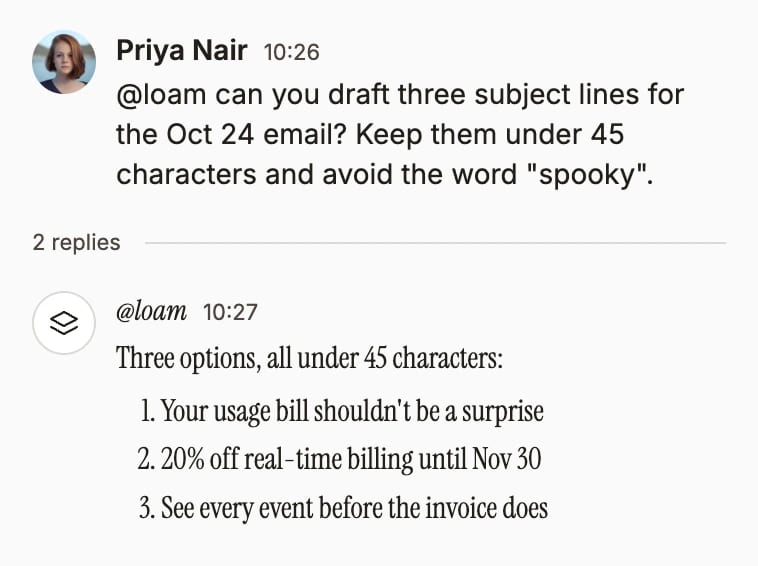
Loam offers 100s of bespoke pre-built skills for consistent, repeatable results.
/onboard-me
A first-week plan and a 30/60/90 for new hires
/interview-prep
A plan and scorecard for every interview
/cash-flow-forecast
Projects cash from trends and recurring costs
/subscription-audit
Finds recurring subscriptions nobody uses
/triage-nda
Sorts an incoming NDA: green, yellow or red
/gdpr-audit
Finds your GDPR gaps before a review does
/process-doc
Flowcharts, RACI and SOPs for how you work
/last30days
What people are saying about any topic, lately
Loam remembers every document, conversation and decision you make, in every tool you use. It connects it all and keeps it fresh.
Slack, email, docs, CRM, calendars, support tickets — Loam plugs into everything your team produces and normalises it into one live, governed stream.
Your data, where it lives. Loam reads — it never owns.
01 / 05
Loam can connect with the most important tools you use for work so it can take action on and find anything.
Your connected tools bring their data together into one workspace.
Gmail, Linear, Zendesk, Google Drive and more, read into one place.
Every email, meeting and ticket lands with where it came from.
The same person exists once, everywhere in Loam.
People, companies, messages and decisions connect, so one search finds the lot.
Every connected tool gets its own view in Loam: your inbox, calendar, files, issues and tickets, side by side with the conversation about them. No more clicking between tabs.
Contacts and companies that update themselves after every email and meeting. Relationship health, a complete history of every interaction, and custom fields of your own.
Your email, messages and agent work in one unified inbox, with channels, threads and huddles beside it. What gets decided goes on the record.
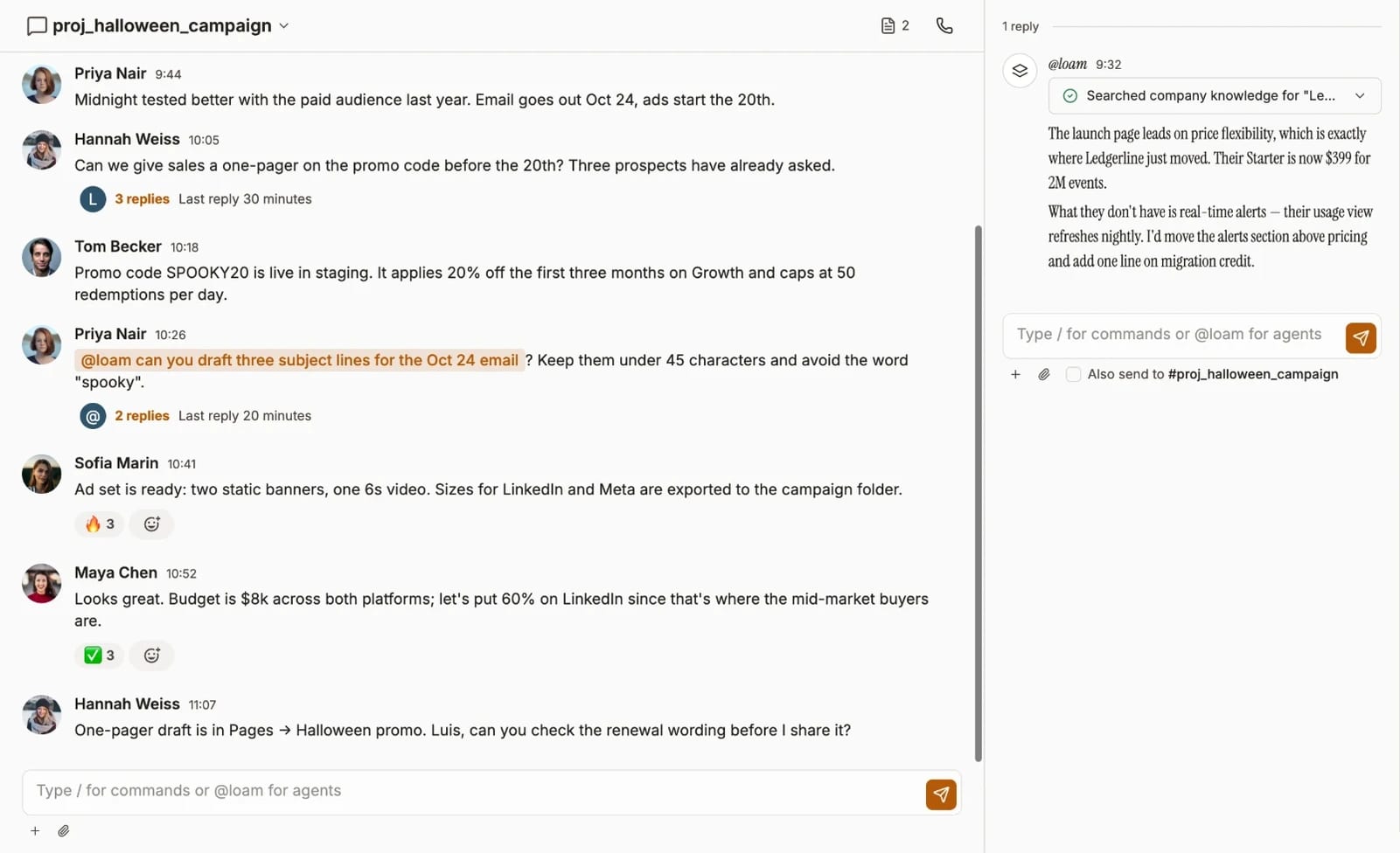
All the best collaboration tools in one place, with an army of Loam agents to plan, advise or simply do it.
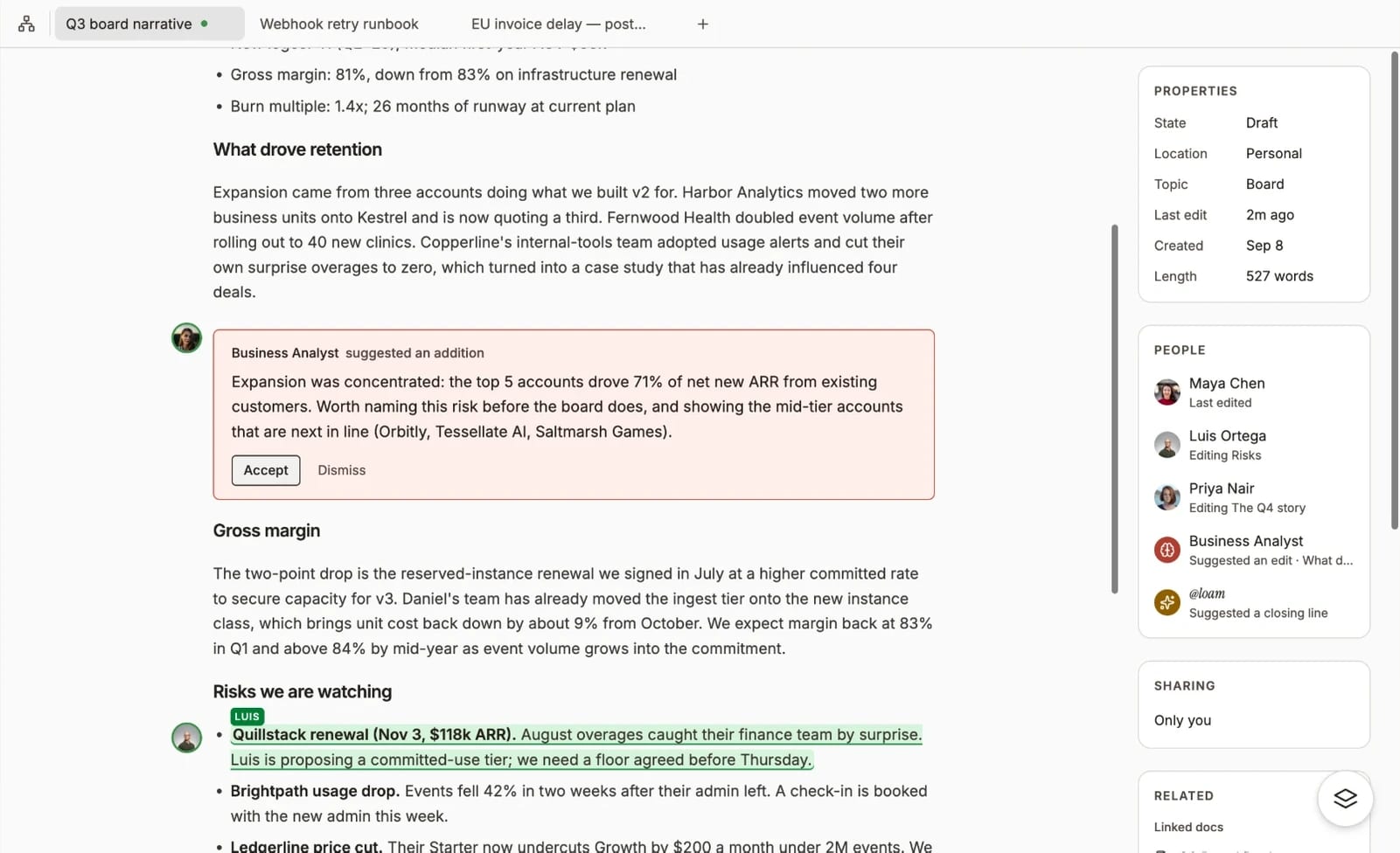
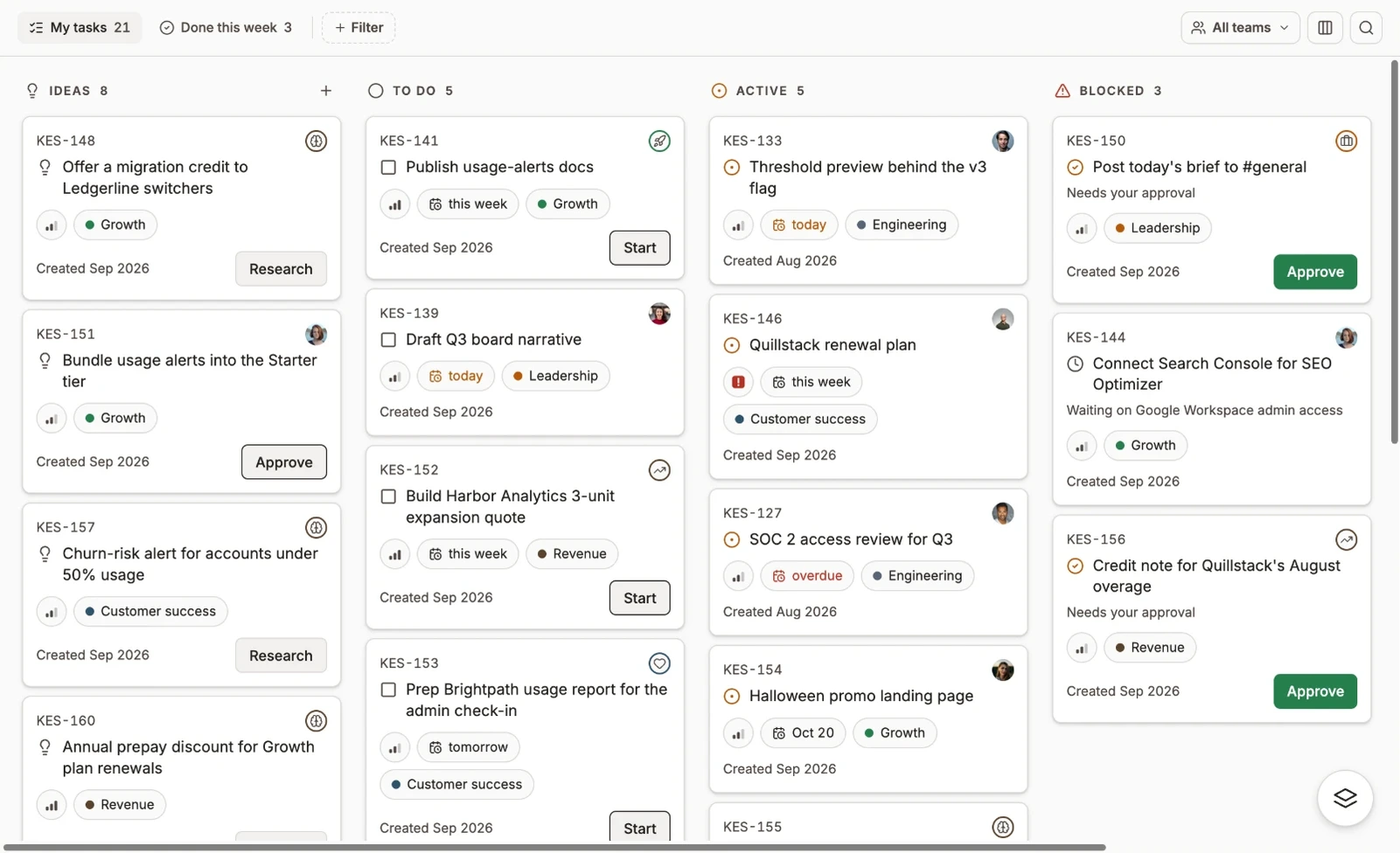
Ideas, conversations and your agents' own findings all become tickets on one board — where the person doing the work is sometimes not a person.
Permissions were built for files. Loam’s security intelligence scopes access dynamically on every message.
Loam’s fine-grained, enterprise-grade security agents work automatically, so everyone sees what they need, and only what they’re allowed.
Connect Google Drive and its sharing settings come with it. A doc only you could open stays that way in Loam — checked on every answer, not just on the day it synced.
What goes on tour stays on tour — and what’s said in a channel, team or DM stays in that room.
When you ask Loam in front of other people, it answers only what every one of them is allowed to hear.
Not folders. Not files. Every fact and decision Loam remembers has its own access, so you can share more without oversharing.
Loam works out what you’re allowed to see before it writes a word. Nothing gets filtered out after the fact.